Lawful Basis
The Lawful Basis feature allows you to track the legal basis for which a business has permission to store and process a person’s information. It is primarily designed for GDPR compliance but is generic enough to use for other purposes.
Lawful Basis Fields
The feature adds three auditable fields to Contact, Lead, and Target records:
-
Lawful Basis: the legal ground for processing the person’s data (for example: Consent, Contract, Legal Obligation, Vital Interests, Public Task, Legitimate Interests).
-
Lawful Basis Source: how the lawful basis was established (for example: Website, Email, Phone).
-
Date Reviewed: the date the lawful basis was last confirmed or updated.
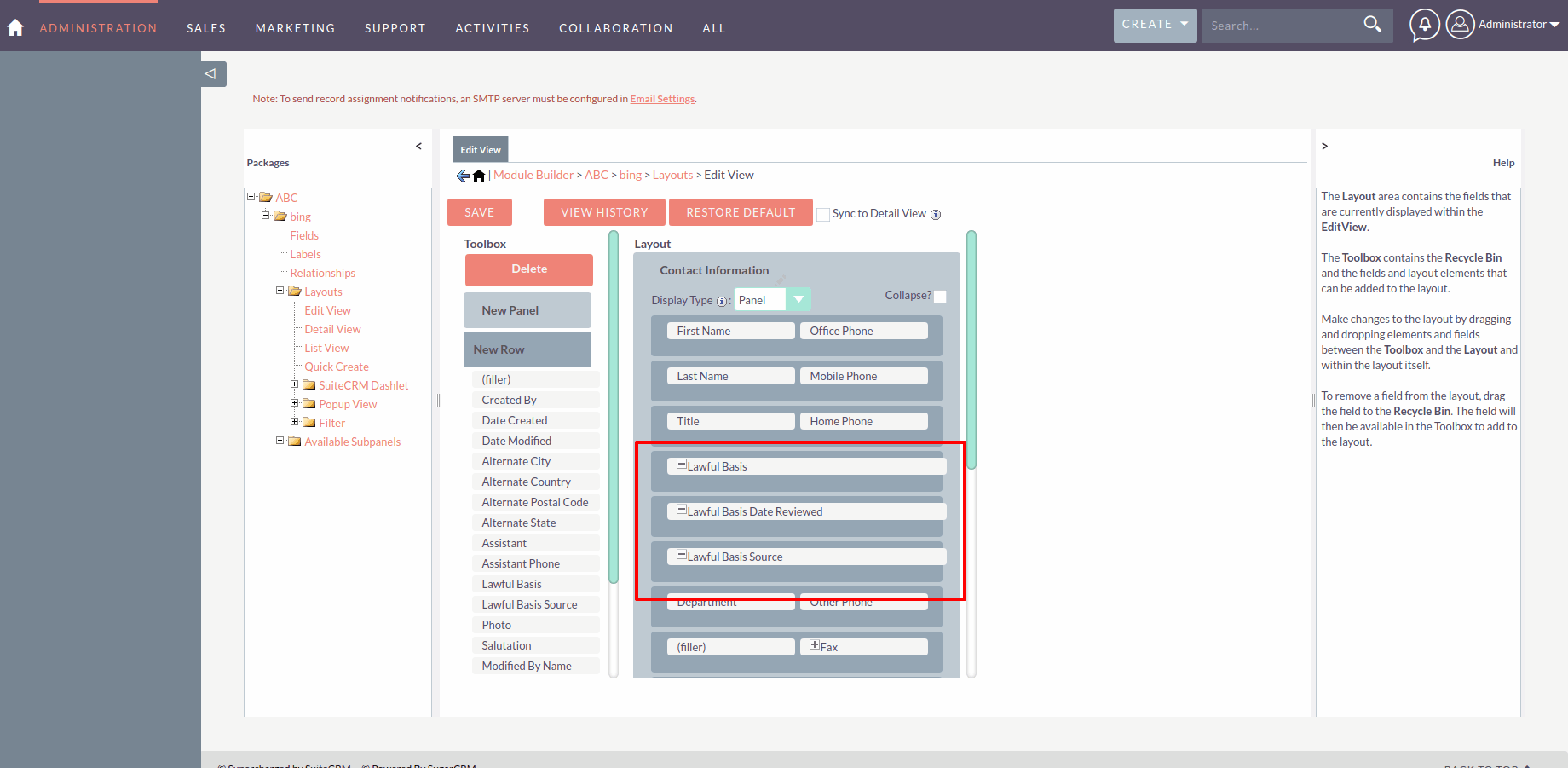
To add these fields to the Edit or Detail view of a module, go to Admin → Studio → select the module → Edit View or Detail View, and drag the fields into the layout.
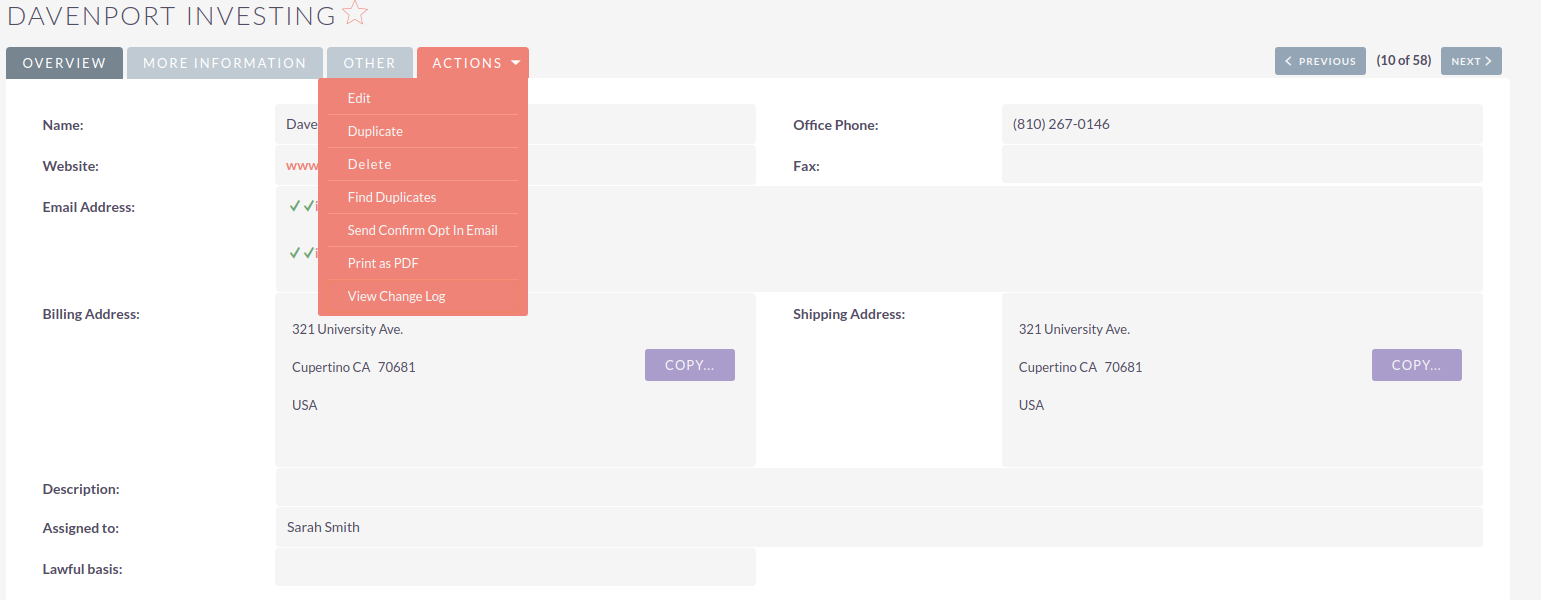
You can track changes to these fields using the View Change Log action on a record.
Updating Lawful Basis Manually
Individual Record
Open the record and select Edit from the Actions menu. Update the Lawful Basis fields and click SAVE.
Mass Update
To update multiple records at once:
-
Go to the List View for Contacts, Leads, or Targets.
-
Select the checkboxes for the records you want to update.
-
Select Mass Update from the Bulk Action drop-down.
-
Scroll to the bottom of the page to find the Lawful Basis fields.
-
Set the required values and click Update.
Updating Lawful Basis Automatically
Via Web-To-Lead Form
When Confirmed Opt In is configured in Admin → Email Settings, any Web-To-Person form created in the Campaigns module will automatically update the Lawful Basis fields for new records when the form is submitted:
-
Lawful Basis: Consent
-
Lawful Basis Source: Website
-
Date Reviewed: the date the opt-in link was clicked
Via Confirmed Opt In Email
When a contact, lead, or target completes a Confirmed Opt In email confirmation, their Lawful Basis fields are automatically updated:
-
Lawful Basis: Consent
-
Lawful Basis Source: Email
-
Date Reviewed: the date the link was clicked
To send a Confirmed Opt In email manually:
-
Go to the List View for Contacts, Leads, or Targets.
-
Select the checkboxes for the records you want to update.
-
Select Send Confirm Opt In Email from the Bulk Action drop-down.
See Confirmed Opt In for details on configuring this feature.