Logging In
This section covers everything you need to know to access SuiteCRM for the first time. It walks you through the login process and the User Wizard that guides you through configuring your personal preferences — such as your date format, time zone, and currency — when you first log in.
Accessing SuiteCRM
SuiteCRM is a web-based application accessed through a browser. Your system administrator will provide you with the URL, your Username, and your initial Password.
Logging into SuiteCRM
Enter your Username and Password on the login page and click Log In.
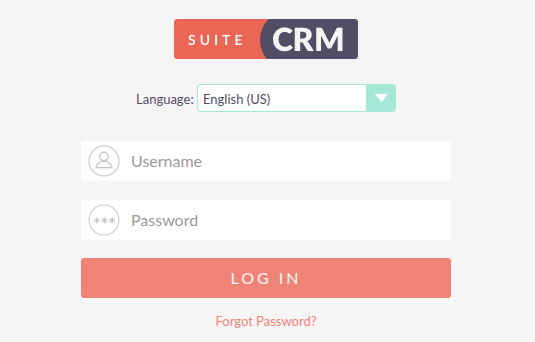
If more than one language is enabled on your system, a Language dropdown appears above the login fields. Select your preferred language before logging in.
Forgot Password
If you have forgotten your password, click the Forgot Password? link on the login page. An inline form expands asking for your Username and Email Address. Enter both and click Submit. SuiteCRM will send a password reset email to the address associated with your account.
If the Forgot Password? link is not visible, or the reset email does not arrive, contact your system administrator.
The User Wizard
The first time you log in, the User Wizard guides you through setting up your personal preferences. These settings apply only to your account and can be changed at any time from your User Profile.
Welcome
The Welcome step confirms you are logged in and ready to configure your account. Click Next > to continue.
Your Information
Enter your personal details. Last Name is required. Email Address is required if your system administrator has enabled password reset by email.
First Name / Last Name |
Your display name within SuiteCRM. |
Email Address |
Used for system notifications and password resets. |
Office Phone / Mobile |
Optional contact details stored on your user record. |
Primary Address |
Optional address stored on your user record. |
Click Next > to continue.
Your Locale
Set how dates, times, numbers, and names appear across SuiteCRM.
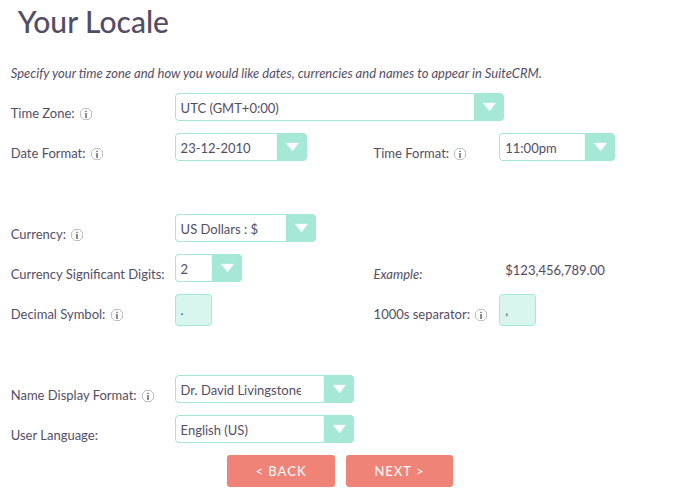
Time Zone |
The time zone used for all dates and times in SuiteCRM. |
Date Format |
How dates are displayed (e.g. 31/12/2025 or 12/31/2025). |
Time Format |
12-hour or 24-hour clock. |
Currency |
The default currency for all currency fields. Available options are configured by your system administrator. |
Currency Significant Digits |
The number of decimal places shown for currency values (0–6). |
Decimal Symbol |
The character used to separate the decimal portion (e.g. |
1000s Separator |
The character used to separate thousands (e.g. |
Name Display Format |
The order in which names are displayed (e.g. First Last or Last, First). |
User Language |
Your preferred display language within SuiteCRM. |
Click Next > to continue.
Finish
The final step confirms your settings have been saved. Click Finish to go to the SuiteCRM homepage.