{
    "grant_type": "client_credentials",
    "client_id": "YOUR_CLIENT_UUID",
    "client_secret": "YOUR_SECRET"
}Authentication
The SuiteCRM V8 API requires a valid session to consume resources. Sessions are acquired by authenticating with the OAuth 2.0 server using one of the supported grant types.
1. Configure Grant Types
Before you can consume the API, you must configure SuiteCRM to grant access to a client. This is managed via an administrative panel where you can add clients and revoke tokens.
To begin, navigate to Admin > OAuth2 Clients and Tokens.
2. Client Credentials Grant
The Client Credentials grant is used for machine-to-machine or service-level integrations where no user interaction is required.
Obtaining the Token
Send a POST request to {{suitecrm.url}}/Api/access_token:
3. Password Grant
The Password Grant allows an application to log in on behalf of a specific user using their CRM username and password.
Obtaining the Token
{
    "grant_type": "password",
    "client_id": "YOUR_CLIENT_UUID",
    "client_secret": "YOUR_SECRET",
    "username": "crm_user",
    "password": "crm_password"
}
4. Authorization Code Grant
The Authorization Code Grant is used by web and mobile applications to obtain an access token on behalf of a user without handling their credentials directly.
Step 1: Configure the Client
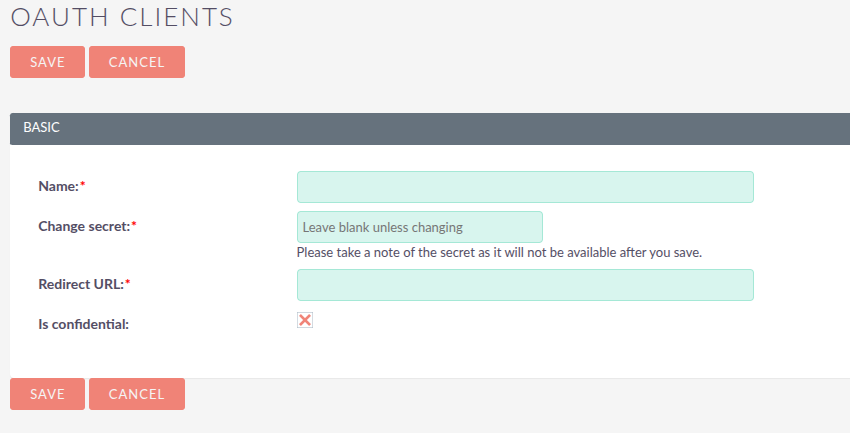
Create a "New Authorization Client" and provide a Redirect URI. This is the URL where the user will be sent after they approve the request.
Step 2: Requesting Authorization
Redirect the user’s browser to the authorize endpoint:
GET {{suitecrm.url}}/Api/authorize?response_type=code&client_id=YOUR_ID&redirect_uri=YOUR_URL
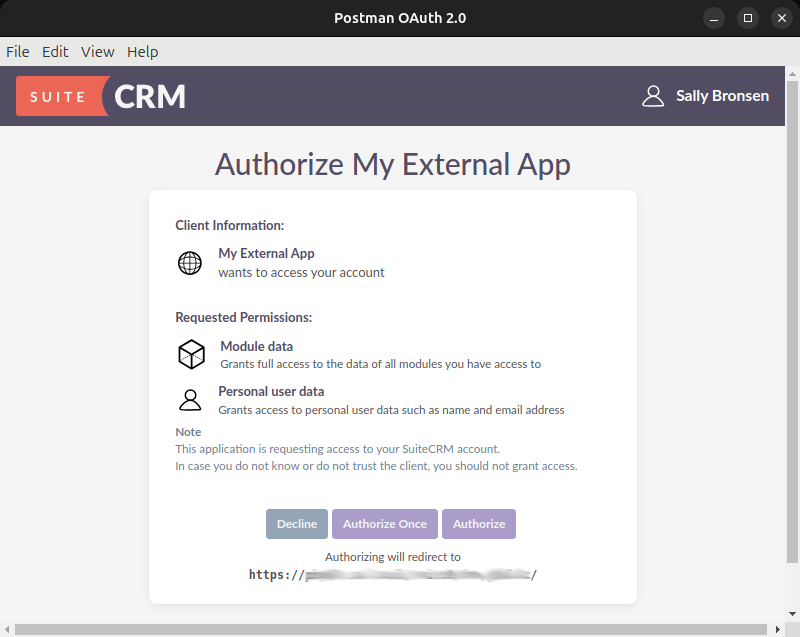
The user will see a login screen followed by an approval modal:
Step 3: Receiving the Code
Once approved, SuiteCRM redirects the user back to your site with a code in the URL:
The authorization code is short-lived and can only be used once.
Step 4: Exchanging the Code for a Token
Your backend must now exchange that code for an access token:
POST {{suitecrm.url}}/Api/access_token
Content-Type: application/json

{
    "grant_type": "authorization_code",
    "code": "YOUR_RECEIVED_CODE",
    "client_id": "YOUR_ID",
    "client_secret": "YOUR_SECRET",
    "redirect_uri": "YOUR_URL"
}
5. Token Response & Usage
A successful response returns a JSON object.
{
  "token_type": "Bearer",
  "expires_in": 3600,
  "access_token": "eyJ0eXAi...",
  "refresh_token": "def502..."
}
To use the token, include it in the header of all subsequent API calls:
Authorization: Bearer <your_access_token>
Refreshing an Expired Token
When the access token expires, use the refresh_token returned above to obtain a new one without repeating the full grant flow:
{
    "grant_type": "refresh_token",
    "refresh_token": "YOUR_REFRESH_TOKEN",
    "client_id": "YOUR_ID",
    "client_secret": "YOUR_SECRET"
}
6. Managing & Revoking Tokens
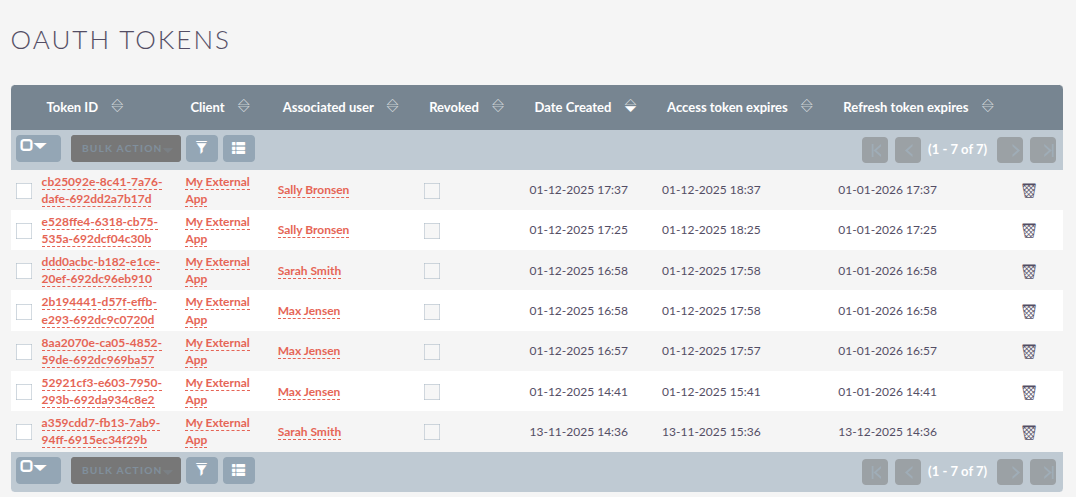
You can monitor active sessions and authorization attempts via the admin panel.
-
List OAuth2 Tokens: View all active access tokens.
-
List OAuth2 Authorization Codes: View pending codes awaiting exchange.